


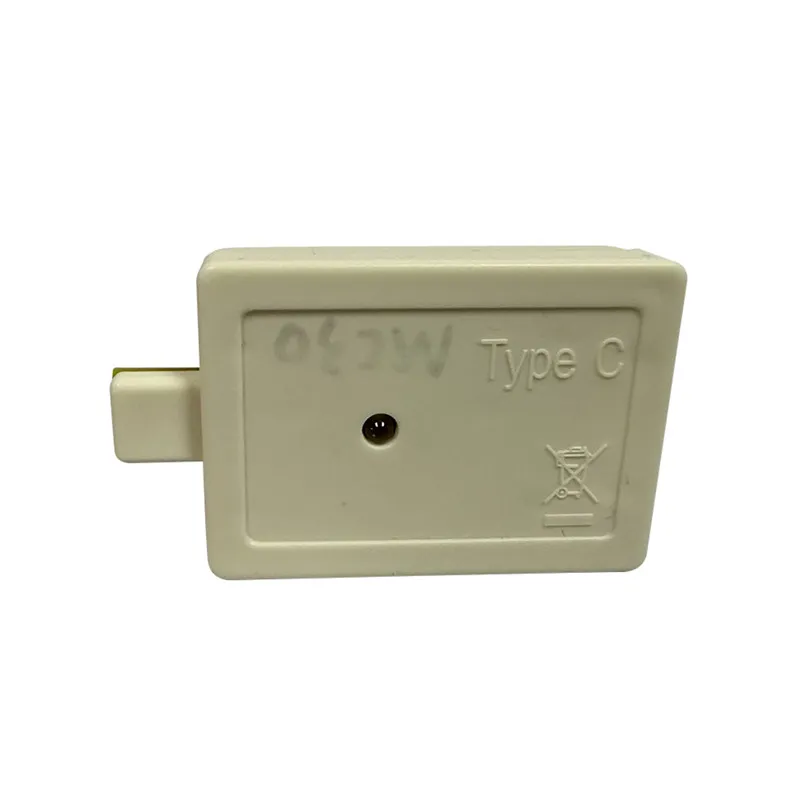


Chip Resetter for Canon is a portable reset tool specifically designed for Canon printer cartridge chips. It supports direct resetting of count data for both original Canon chips and third-party compatible chips, making it suitable for home, office, and industrial printing scenarios. By quickly clearing ink level or maintenance unit life information, the Chip Resetter for Canon helps users extend cartridge lifespans and significantly reduce consumable costs.
Core Functionality

Wide Range Of Compatibility
Chip Resetter for CANON supports resetting cartridge chips for CANON's full line of desktop printers and large format devices, including:
Home/office models: PIXMA G6020/G7020, MG3620, TS8320, and more.
Commercial laser models: imageCLASS LBP6230dw, MF644Cdw, MF743Cdw series.
Industrial large format models: imagePROGRAF TM-300/TM-305, TX-4000/TX-4100, etc.

Dual-mode Chip Reset
Original Chip Reset: Directly clears the count data of the CANON original cartridge chip and restores its initial state.
Compatible Chip Reset: Supports the reuse of third-party permanent chips (e.g., PGI-280/CLI-281, CRG-054A etc. models) to avoid chip lock-up.

Efficient and Portable Design
Portability: Palm-sized (8cm × 5cm), weighs only 75g, supports Type-C power supply or built-in Li-ion battery (180+ cycles).
Quick operation: Single reset time 3-5 seconds, one-button process, no need for specialized skills.
Technical Advantages
Non-Invasive Reset
Chip Resetter for Canon resets data directly through contact communication without disassembling the chip or soldering the circuit, ensuring no damage to the physical structure of the chip.
Intelligent identification and protection
Automatically detects the chip model and matches the best reset protocol, covering both Canon original encryption logic and mainstream third-party chip solutions.
Built-in over-voltage/short-circuit protection prevents equipment damage due to misuse.
State visualization
Equipped with a two-color LED indicator and a beeping alert:
Green light always on: Reset successful.
Blinking red light: Chip incompatibility or operation failure.
Application Scenario
Home user
Users of PIXMA MG3620 and other models can reuse cartridges with Chip Resetter for Canon, reducing the cost of a single cartridge by more than 70%.
Enterprise High-Frequency Printing
ImageCLASS MF644Cdw users can quickly reset the original chip to support tens of thousands of pages per month, significantly reducing O&M expenses.
Industrial Grade Production
The imagePROGRAF TM-300 large format printer with Chip Resetter for CANON continuously monitors the status of high-capacity cartridges to avoid production interruptions due to chip lock-ups.
Usage Process
Align the cartridge chip with the contact slots of the Chip Resetter for Canon.
Press the reset button and wait 3-5 seconds until the green light comes on with a beep.
Once the reset is complete, the chip can be reloaded for use in the printer.
Q&A
Hot Tags: chip resetter for canon, China chip resetter for canon manufacturers, suppliers, factory, chip resetter, Chip Resetter for Bother, Chip Resetter for CANON, Chip Resetter for Epson, Maintenance Box Chip Resetter, printer accessories


